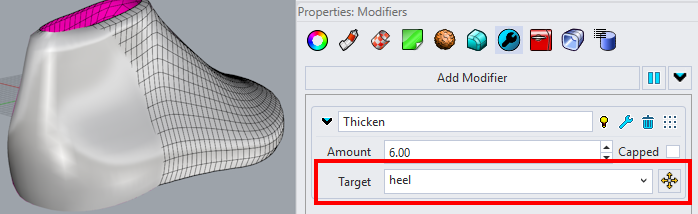
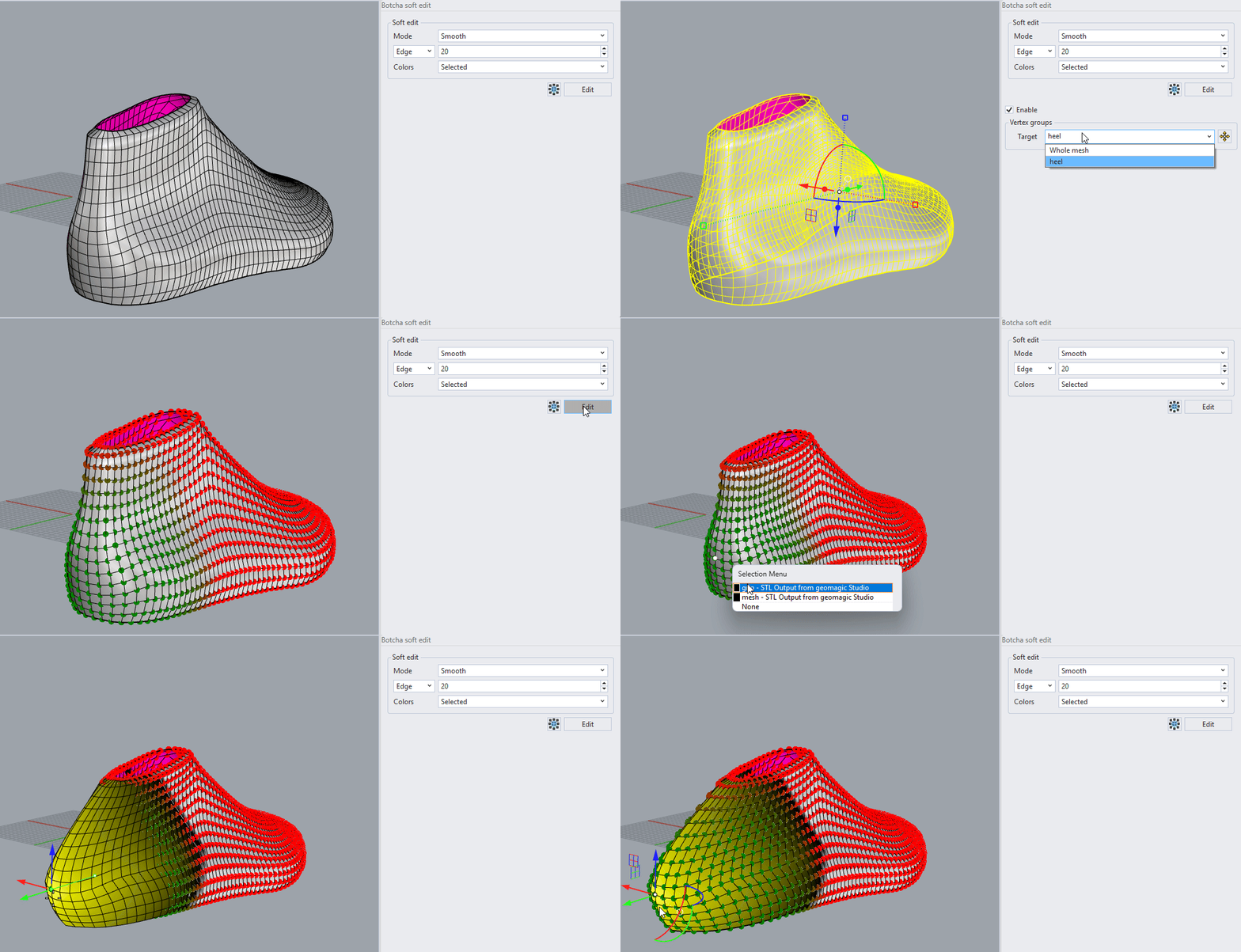
Vertex groups
Available for meshes and SubDs, this functionality stores one or multiple vertex sets to isolate their behavior from the rest of the geometry. For operations involving geometric transformations, these groups can either be constrained (fixed) or isolated as the only transformed areas.
B_VertexGroup
This command allows you to add, assign, or remove vertices from a vertex group. Once activated, simply select an object, and all its associated vertex groups will appear in the dialog box.
To ensure smooth deformations, a transition (or "falloff") can be created between the vertex group and the rest of the mesh. This is achieved by assigning a weight value to each vertex.
By default, vertices assigned to a group have a weight of 1.0 (full influence). However, you can create a gradual transition between the selected area and its surroundings by enabling Use soft selection. You can choose from several transition modes:
-
Linear: The weight decreases linearly from 1 to 0.
-
Smooth: Uses Hermite interpolation to create a gradual smoothing effect.
-
InverseRamp: Similar to the Smooth mode, but characterized by a steeper initial inclination, resulting in a faster drop-off at the start of the transition.
-
Noise: The transition from 1 to 0 occurs gradually, but a randomized effect is applied to the weights for an irregular distribution.
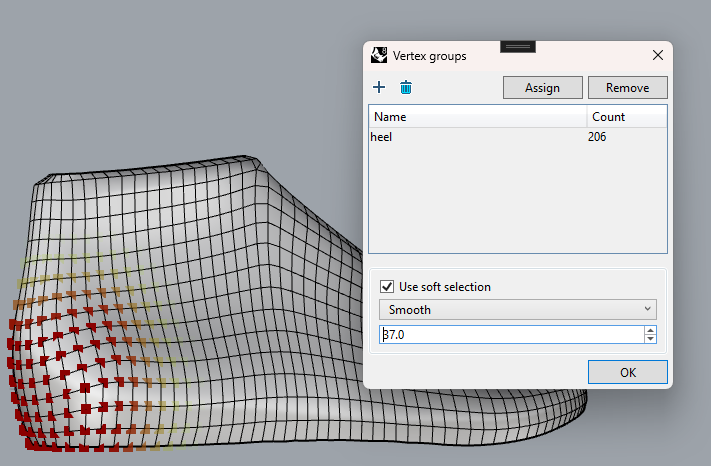 A vertex group with Smooth transition to 0.
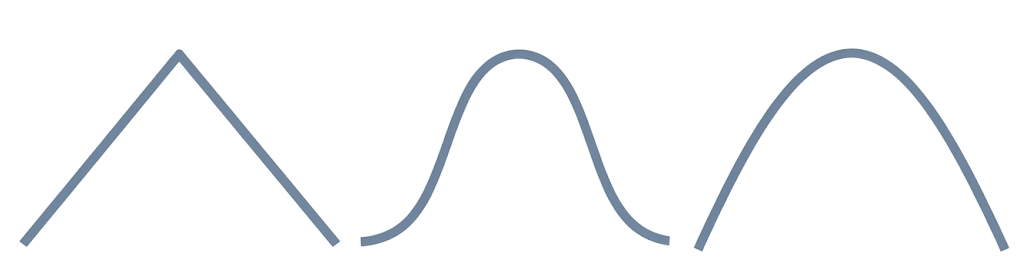 In the picture you can see the different transition modes: Linear, Smooth and Inverse Ramp.
Vertex groups are used in certain modifiers to allow moving or locking specific vertices. Similarly, Soft edit allows you to select a vertex group for the editing object, restricting movement exclusively to the grips within that group or locking their positions entirely.