Technical last flattening
Botcha allows you to connect pattern engineering with your 3D data, this feature will allow you to take a 3D last and flatten it into contour curves that closely match what a manual flattening would do.
Last preparation
First you will need to position the last properly and extract a couple of lines out of the last. Usually any last supplier would share a file with these lines in the file so it should already be in the file or it should be easy enough to extract these lines for yourself.
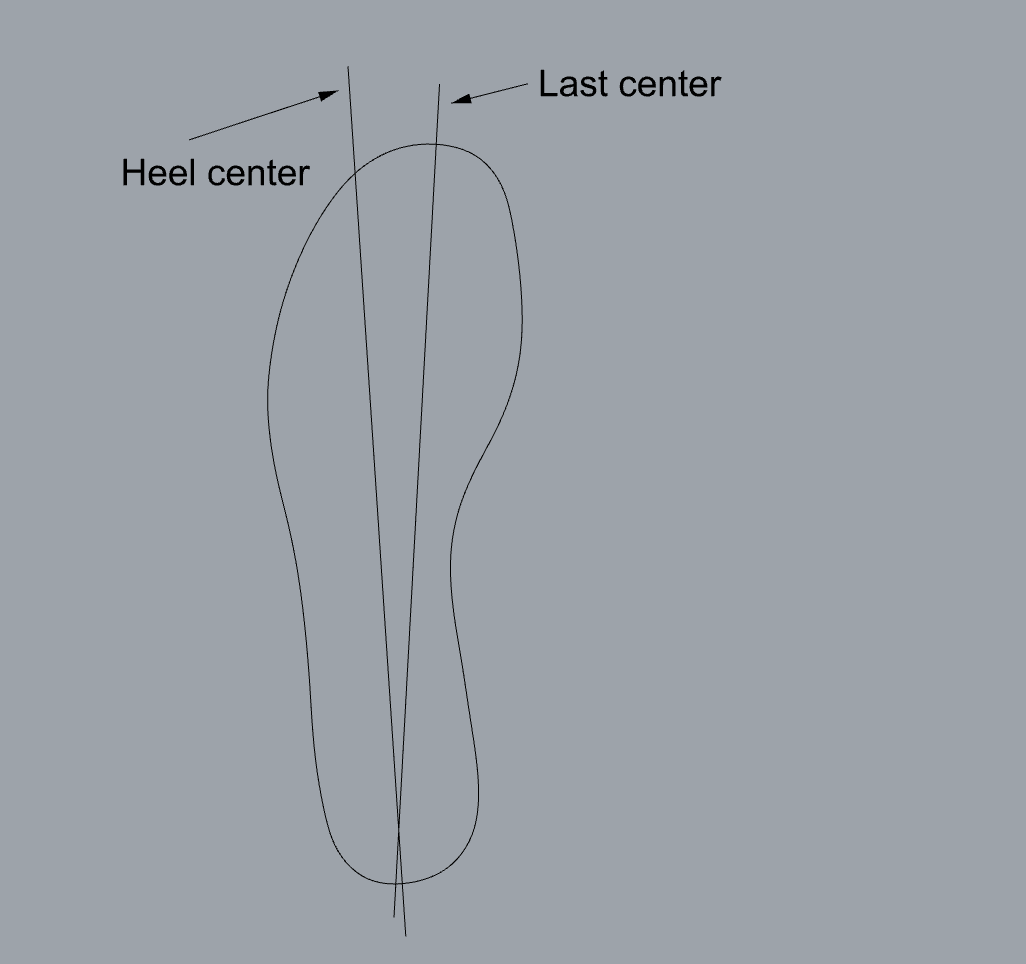
The last should be positioned as follows:
- the heel point (i.e. the intersection between the heel center line and the last center line) in the origin and;
- the flow (or the last center line) along the Y axis.
- You must also weld the mesh you are going to use for flattening or it will not work.
Running the command
Once you have the last and your lines prepared we can run the command 
B_FlattenLast
from the toolbar or the command line. First the command will ask you whether your want to flatten a left or right last.
After you select the mesh you will be prompted with a dialog, you need to select the bottom curve, last center line and heel center line before being able to preview the last flattening. Once you click on the preview button you will have a situation similar to the following image.
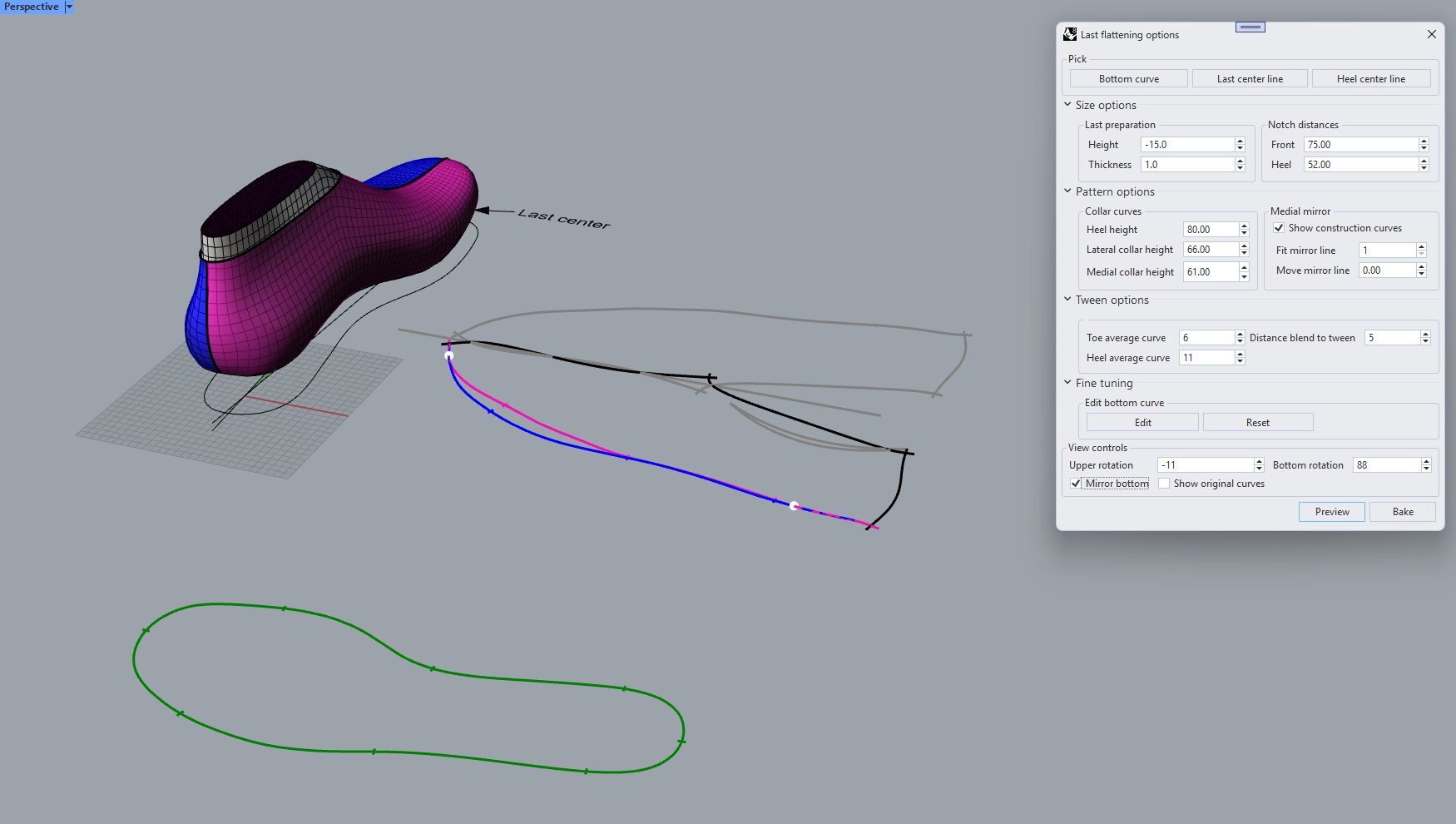
There are a lot of parameters that you can change, here is a list of what each does:
- Size options
- Height: This will determine how much of the height of the last should be cut, if you notice from the image the virtual pull over does not reach the top of the last. It should be a negative value, that allow you to cut however much material you want.
- Thickness: the material you will use for a pull over or a simple fit test will have a thickness, this is it. Usually it should be around 1mm or more, depending on your process
- Front notch distance: distance on the curve for the notch in the front part of the shoe
- Heel notch distance: distance on the curve for the notch in the heel part of the shoe
- Pattern options
- Collar heel height: Height of the collar line at the heel point
- Lateral collar height: Height of the collar line at the ankle point for the lateral side
- Medial collar height: Height of the collar line at the ankle point for the medial side
- Fit mirror line: Interpolation option for the mirror line, using the medial/lateral split line
- Move mirror line: Value for moving the mirror line away from the flattening, the higher the further apart the two mirror halves will be
- Tween options
- Toe average curve: Option to control how much of the lateral and medial line should be coincident in the toe area of the flattening. The higher the more the two lines will match.
- Heel average curve: Option to control matching of the lateral medial line on the heel area
- Distance blend to tween: Length of the blend between the coincidence area and non-coincidence area
- Fine tuning:
- View control
- Upper rotation: Rotation of the upper, in the preview and the baking
- Bottom rotation: Rotation of the sockliner, in the preview and the baking
- Mirror bottom: If checked then the sockliner will be facing the inside up, if unchecked you are looking at the outside of the sockliner
- Show original curves: If checked, then the original flattening curves (before they are tween into a single one) will be shown.
Once you have adjusted the output to your liking with the above parameters, clicking on the Bake button will add the curves to the document. If you have both Jevero and Botcha installed, the notches and mirror lines will be parametric entities.