J_MaterialEdit
Create and edit materials
This command allows to create, edit and manage materials that can be applied to parts.
Find it in: type the command
J_MaterialEditdirectly in the Rhino command line, or you can reach the command dialog by selecting a part from the Part Panel and edit its material
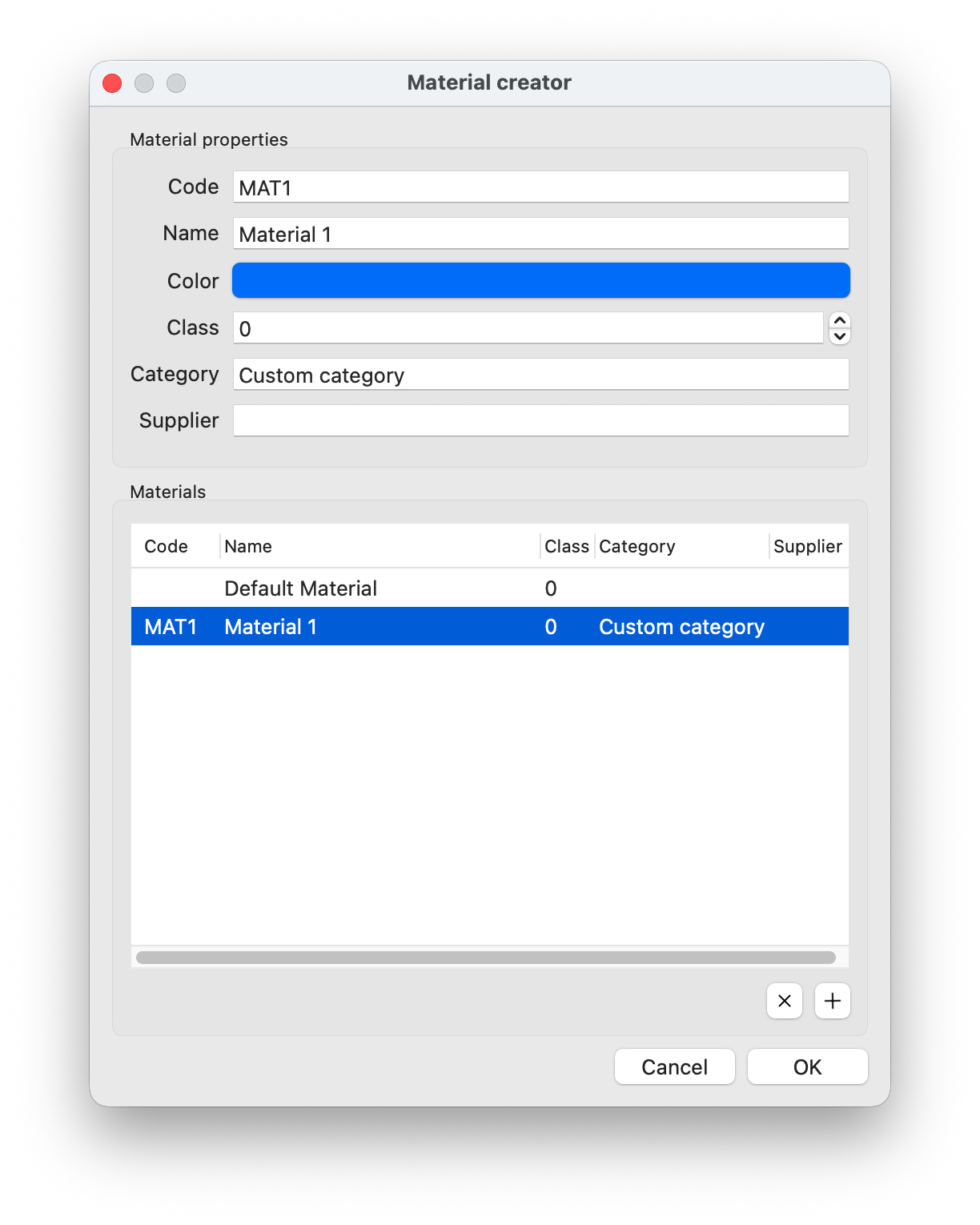
Steps
- Issue the command (or open the dialog by editing a part's material)
- In the dialog you can find a list of existing materials
- By selecting each material, you can inspect its properties, namely
- Code - a unique code to identify the material
- Name - a human readable name for the material
- Color - a color
- Class - a class index that can be used to indicate the quality or other features the user can choose
- Category - a category that can be used as a tag to group materials with similar features
- Supplier - here the user can indicate the material's supplier, to easily track all
- A new material can be added by clicking the
+button below the list, while an existing material can be deleted by selecting it and clicking theXbutton.